
Screenshots
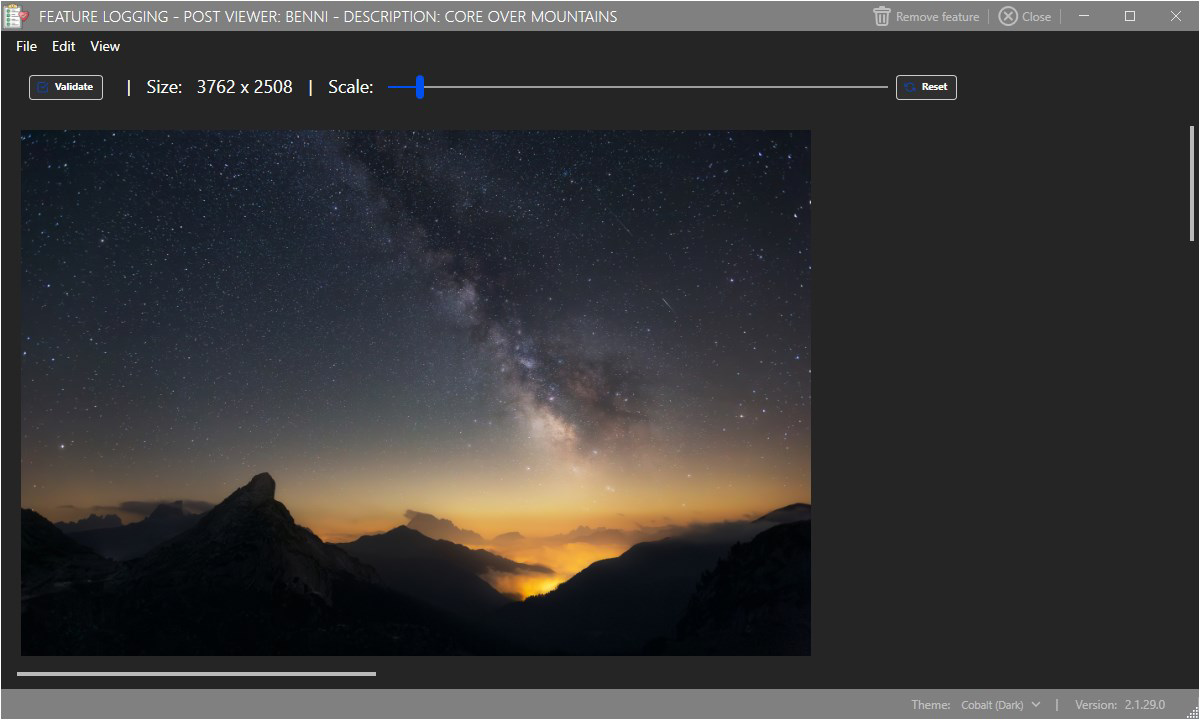
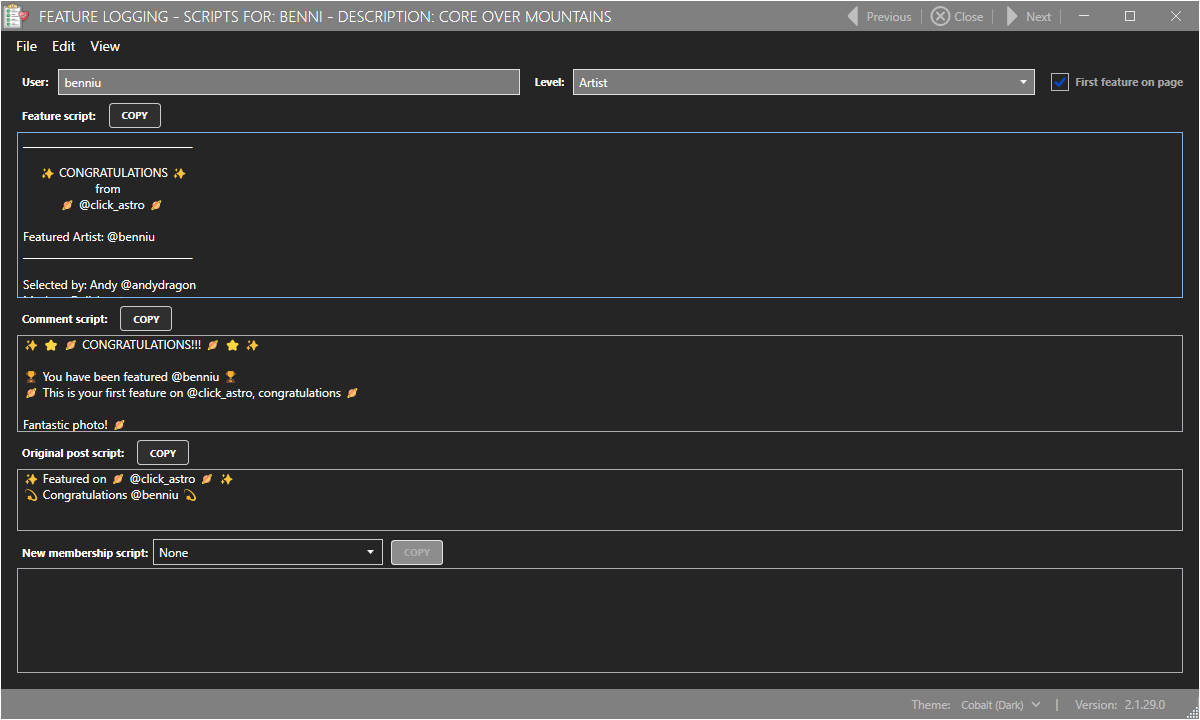
App details
- Updated
- 2025-02-18T21:19:57.4415788Z
- Requires
- Windows 10 version 18362.0 or higher
- Language
- English
- Developer
- AndyDragon Software
- Category
- Mobile
SoftPas in:
This product is also available in the following languages:
About Feature Logging
Download Feature Logging – feature logging, user feedback, request tracking, feature management, team collaboration, development roadmap
Overview
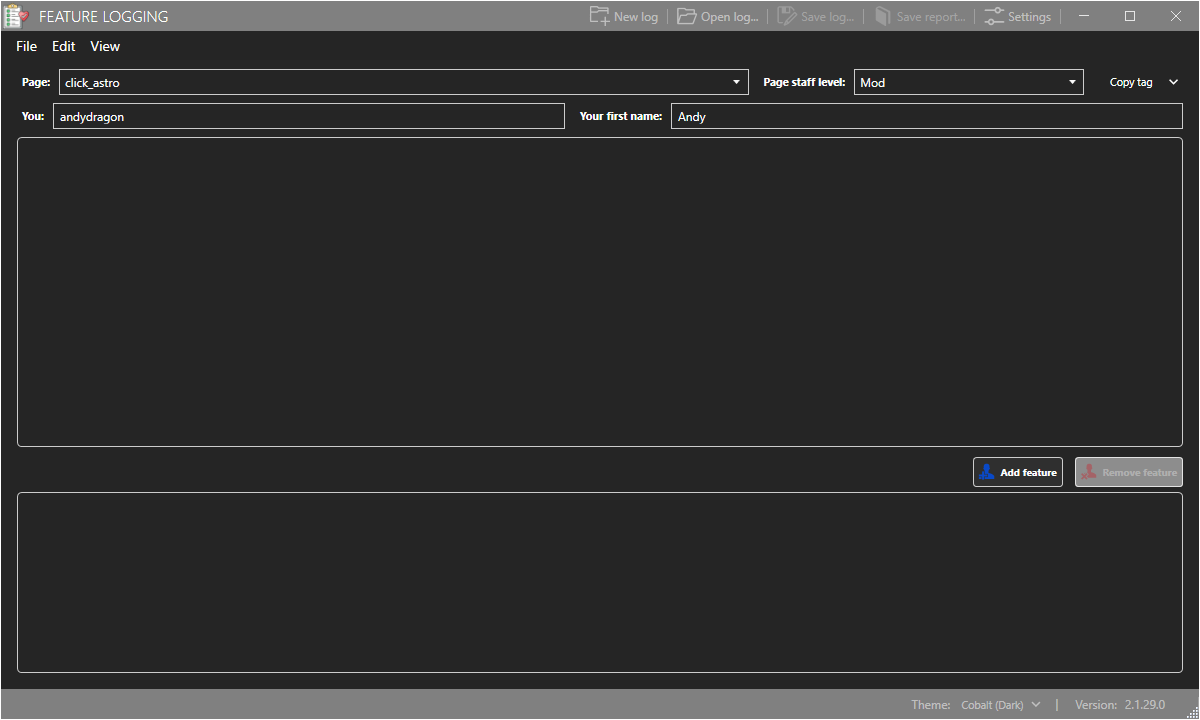
Feature Logging is a specialized mobile application designed for VERO hub administrators and moderators to manage and track user-driven feature requests. Its primary purpose is to streamline the process of logging, evaluating, and implementing new features based on user feedback. By centralizing all feature-related discussions and decisions, the app enhances transparency and coordination within development teams. It addresses the common challenge of scattered or lost feedback by providing a structured system for documentation, status updates, and priority assignment.
The app is tailored for internal team use within the VERO hub ecosystem, making it ideal for product managers, technical leads, and content moderators who oversee feature development. Real-world use cases include organizing feedback from thousands of users into actionable items, setting clear timelines for implementation, and maintaining accountability through timestamped logs. This ensures that no request is overlooked and that progress is visible to all stakeholders.
As part of the VERO hub’s broader productivity suite, Feature Logging plays a critical role in aligning user needs with development priorities. It supports agile workflows by enabling quick assessment and categorization of requests. The developer, VERO Hub, appears to focus on internal tooling for community-driven platforms, emphasizing efficiency and collaboration. While specific details about the company’s background were not provided, the app’s design reflects a clear commitment to operational clarity and team coordination.
Key Features & Functionality
- User-Friendly Interface: The app features an intuitive layout that simplifies navigation for users with varying technical expertise. This ensures that administrators and moderators can quickly log requests, update statuses, and access historical data without requiring training.
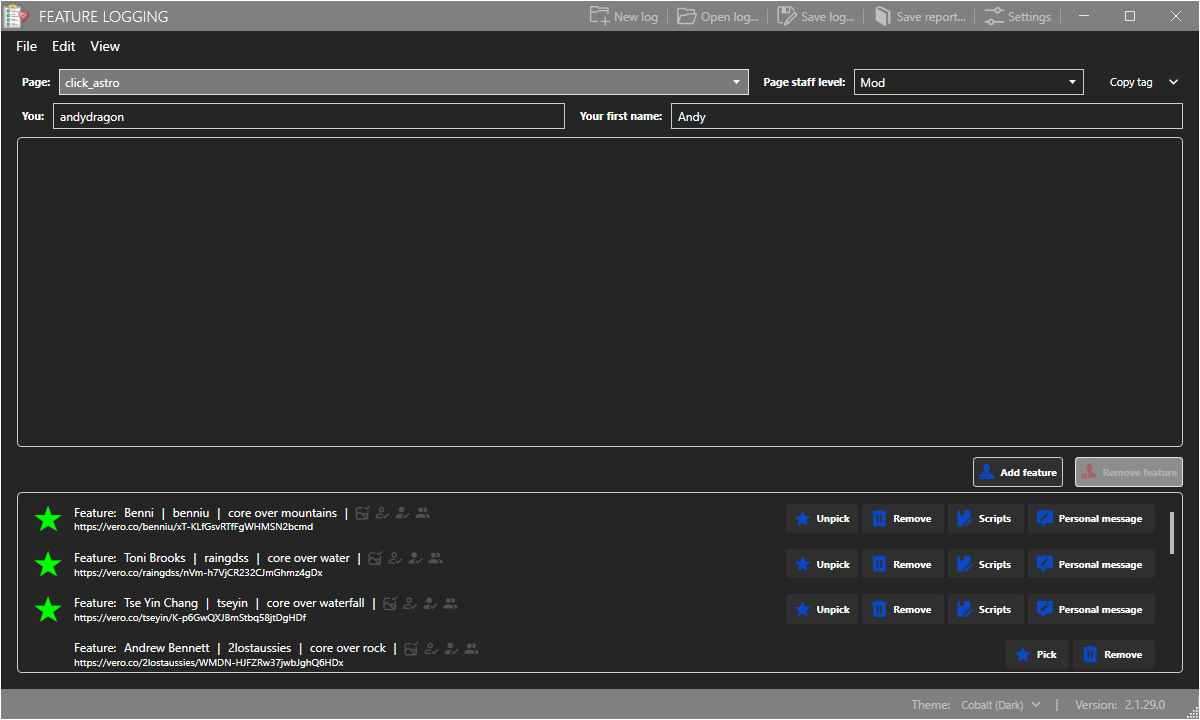
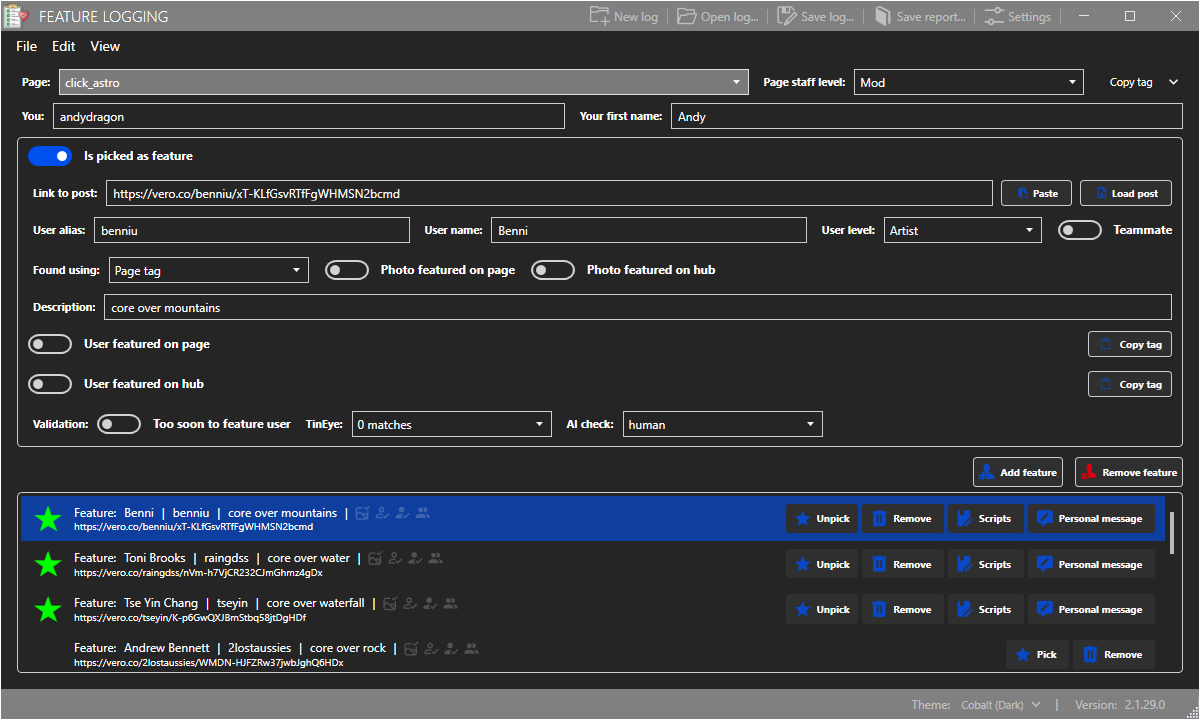
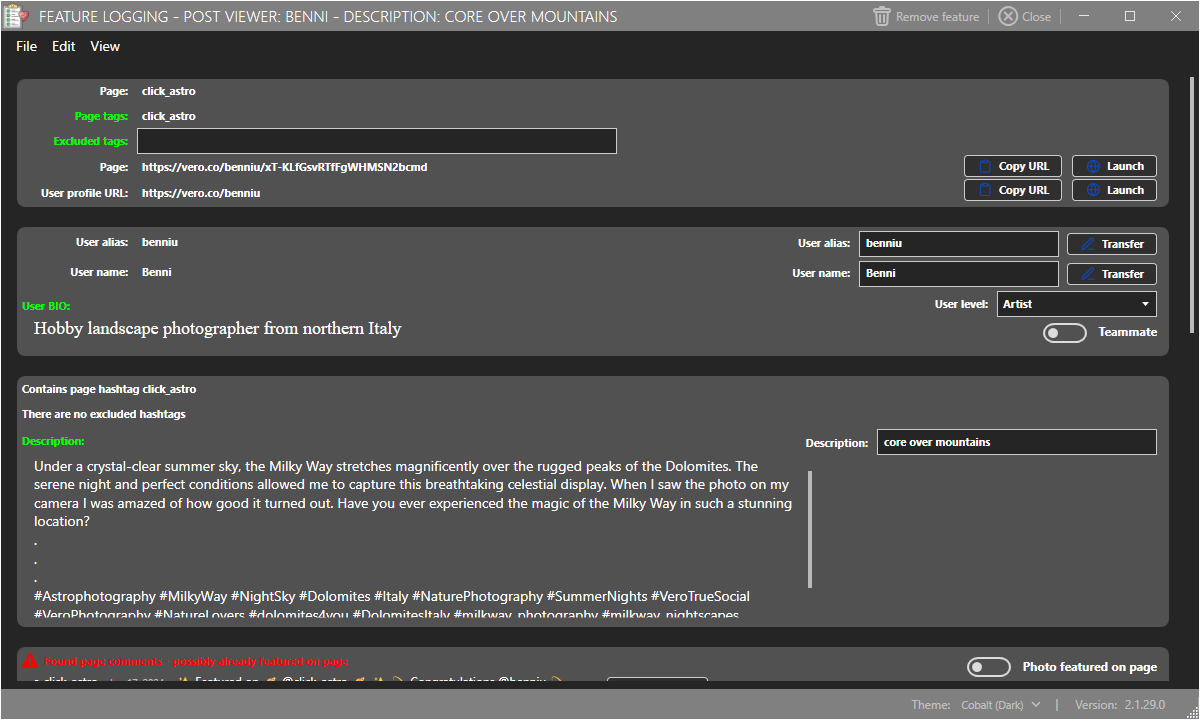
- Comprehensive Logging System: Each feature request is stored with detailed metadata, including descriptions, timestamps, and current status. This structured format allows for consistent tracking and auditability across team workflows.
- Collaboration Tools: Team members can comment on and discuss logged requests in real time. This facilitates transparent communication and helps gather diverse perspectives before making development decisions.
- Prioritization Capabilities: Users can assign priority levels based on criteria such as user demand, technical feasibility, and business impact. This helps teams focus on high-value features and maintain a balanced development roadmap.
- Reporting Features: Built-in analytics tools generate insights into recurring requests, implementation timelines, and team performance. These reports support strategic planning and help identify areas for improvement in the product lifecycle.
For example, a moderator could log a feature request from a user group, assign it a medium priority based on demand, and tag it for review by the development team. Team members can then comment with technical feedback, and the system records all interactions. Over time, reports can reveal that 60% of requests relate to accessibility improvements, prompting a strategic shift in future development efforts.
Interface, UX & Performance
The user interface of Feature Logging is designed with clarity and efficiency in mind. It employs a clean, minimal layout with logical grouping of functions, reducing cognitive load during daily use. Navigation is consistent across screens, allowing users to move between request lists, individual entries, and reporting dashboards with ease.
Visual elements are functional rather than decorative, prioritizing readability and data accessibility. Buttons and input fields are appropriately sized for touch interaction, minimizing errors during data entry. The app’s responsiveness is evident in smooth transitions between views and fast loading of request histories, even with moderate data volumes.
Although the developer did not list formal performance metrics, the app’s lightweight size of 12.3 MB suggests optimized resource usage. It is expected to run efficiently on a wide range of Android devices, including mid-tier and entry-level models. Stability appears to be a focus, as the app maintains consistent behavior across sessions without reported crashes or data loss.
Platform Compatibility & Technical Requirements
Feature Logging is available exclusively on the Android platform. It is compatible with Android devices running the minimum OS version specified by the developer, though specific requirements were not listed. The app’s file size is 12.3 MB, indicating a lightweight footprint that supports quick downloads and minimal storage usage.
As of version 1.0.1, the app is optimized for modern Android environments. The developer did not specify exact OS version requirements, so users should ensure their devices meet general Android compatibility standards. The app is currently free to download and install, with no in-app purchases or subscription models disclosed.
Pros and Cons
- Intuitive interface suitable for non-technical team members
- Structured logging system with status tracking and timestamps
- Real-time collaboration through comments and discussions
- Flexible prioritization based on user demand and feasibility
- Insightful reporting tools for strategic planning
- Lightweight design with minimal storage impact
- Available only on Android, limiting cross-platform access
- No public information on developer background or support channels
- Specific OS requirements not disclosed
- Functionality is internal-facing; not designed for end-users
- Updates may be infrequent without public release notes
FAQ
Is Feature Logging available for iOS devices?
As of now, the app is only available on the Android platform. No iOS version has been announced.
Can individual users submit feature requests through this app?
No. Feature Logging is designed for internal team use by administrators and moderators. It is not intended for direct submission by end-users.
Is the app free to download and use?
Yes, Feature Logging is currently free to download and install on Android devices.
How frequently is the app updated?
The developer has not provided information on update frequency or release schedules.
What kind of data does the app store?
The app stores feature requests, including descriptions, timestamps, statuses, comments, and priority levels. All data is managed within the team’s internal environment.
Final Thoughts
Feature Logging stands out as a focused, efficient tool for teams managing user feedback and development roadmaps. Its structured approach to request tracking, combined with real-time collaboration and prioritization features, makes it a valuable asset for VERO hub administrators. The app’s lightweight design and intuitive interface ensure accessibility across diverse user profiles, while its reporting capabilities empower strategic decision-making.
While it is limited to Android and not available for end-users, its targeted functionality delivers clear benefits for internal product teams. For organizations that rely on user-driven innovation, this app provides a systematic way to transform feedback into action. The lack of public developer details and update transparency are minor drawbacks, but do not diminish its core utility.
Download Feature Logging now to enhance your team’s ability to manage feature requests with clarity, consistency, and confidence.
Guides & Tutorials
How to install Feature Logging
- Click the Download button above.
- Once redirected, accept the terms and click Install.
- Wait for the Feature Logging download to finish on your device.
How to use Feature Logging
This software is primarily used for its core features described above. Open the app after installation to explore its capabilities.
User Reviews
No reviews yet. Be the first to share your experience.
You may also like
more
Que no te pillen¡
About !Que no te pillen¡Reviewed by Jason A. BilbreyShow MoreShow Less

3D Combat Zone
About 3D Combat ZoneOriginally released in 1983, 3D Combat Zone immerses players...

666: El día del portal
About 666: El día del portalOn June 6, 2006, Agent P. Stone uncovers a sinister...

80 in 1 Best Flash games
About 80 in 1 Best Flash games 80 in 1 Best Flash games is a collection of 80 fl...

ABYSS SEEKERーーWhat Do You See Deep in The Abyss
About ABYSS SEEKERーーWhat Do You See Deep in The AbyssIn ABYSS SEEKER, players...

ACA NEOGEO THE KING OF FIGHTERS 2002 for Windows
About ACA NEOGEO THE KING OF FIGHTERS 2002 for WindowsTHE KING OF FIGHTERS 2002,...